
Connect Apple Health to Grok
Grok has no built-in Apple Health integration. The free P.R.O. app connects your Apple Health workouts, sleep, heart rate and HRV to Grok as a custom connector at https://mcp.proapp.uk.
Set it up in the Grok iPhone app or at grok.com/connectors — it takes about two minutes.
- Server address
https://mcp.proapp.uk- Sign-in
- OAuth with a one-time code from P.R.O.
- Time
- About 2 minutes
- Recorded
- October 10, 2026
How to connect Grok
Set up in a browser at grok.com/connectors. In the iPhone app, you can also use Connectors → Custom Connectors → Custom Connector → Connect.
Before you start
- P.R.O. on your iPhone, signed in, with Apple Health access allowed. It’s free.
- Grok on iPhone or grok.com in a browser.
- Open grok.com/connectors.Open Grok connectors ↗
- Select New Connector.
- Select Custom.
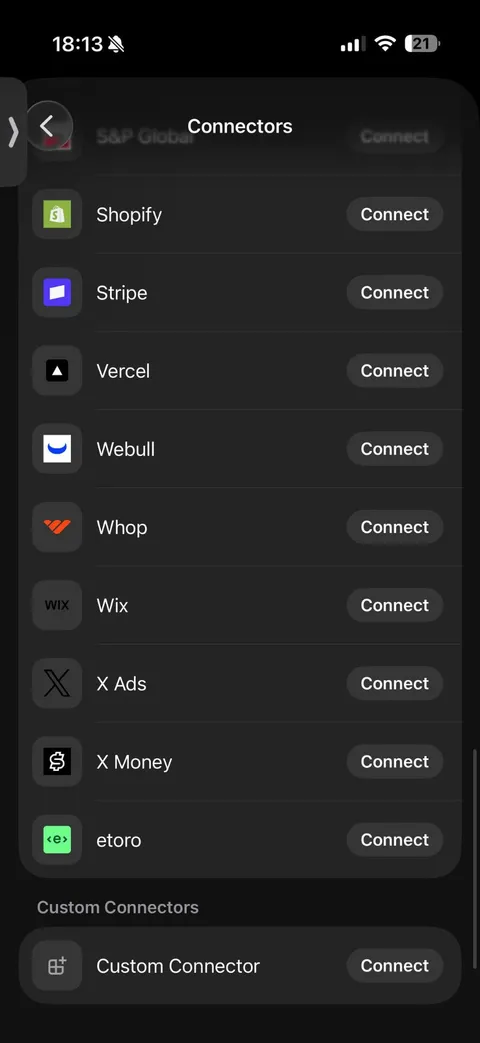
On iPhone: Custom Connectors → Custom Connector → Connect. - Enter https://mcp.proapp.uk as the server address.
- Authorize P.R.O.
Complete the OAuth sign-in using the P.R.O. authorization steps.
On your iPhone, open P.R.O. → Settings → MCP Connect and tap Get connection code. Enter the six-character code on the authorization page and select Connect. The code works once, for 10 minutes.
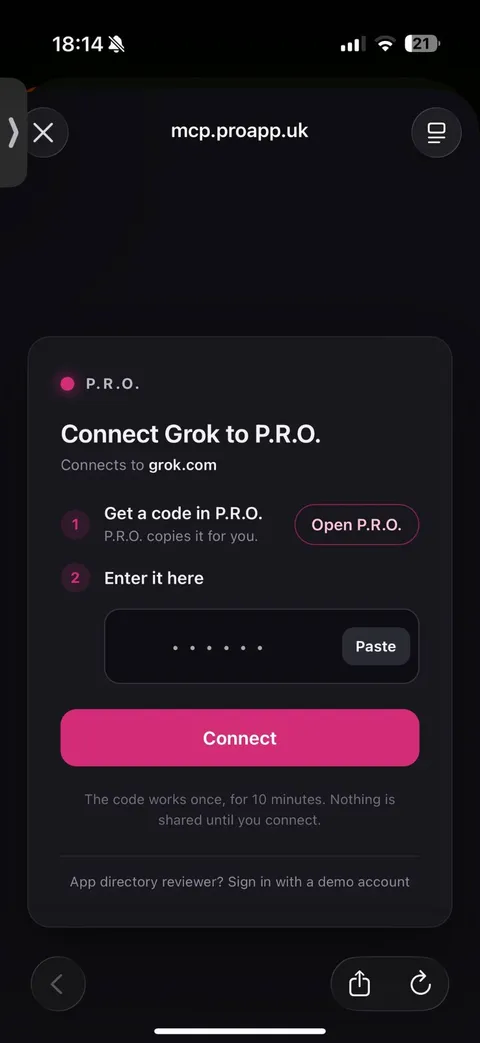
The P.R.O. page: Open P.R.O. copies a code, then Paste and Connect. - Choose what Grok can access.
Review the data switches in P.R.O., then tap Done.
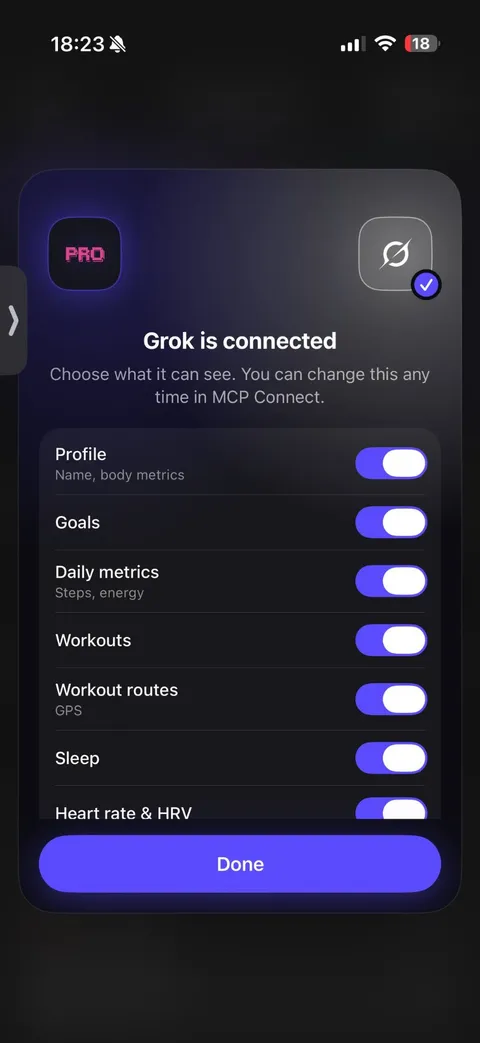
In P.R.O.: choose what Grok can see, then Done.


iPhone connection tested October 10, 2026 · Web setup follows Grok’s official guide. Interfaces change; if a menu looks different, see Grok’s own setup help ↗
What to ask Grok
Ask in your own words. Grok calls P.R.O. when it needs your data.
- “How many kilometres did I run this month?”
- “Compare my sleep on training days and rest days.”
- “What’s my next session in my training plan?”
- “Has my resting heart rate gone up this week?”
If something goes wrong
I can’t find custom connectors on iPhone.
Open Connectors and scroll to the bottom: Custom Connectors → Custom Connector → Connect.
The code is rejected.
Each code works once and expires after 10 minutes. On iPhone, Open P.R.O. on the authorization page creates and copies a fresh one.
Questions about Grok and Apple Health
Does Grok work with Apple Health?
Not on its own — Grok has no built-in Apple Health integration. The free P.R.O. app connects Apple Health to Grok as a custom connector at https://mcp.proapp.uk.
Can I connect on the Grok iPhone app?
Yes. Open Connectors, scroll to Custom Connectors, tap Connect next to Custom Connector and enter https://mcp.proapp.uk. On the web, use grok.com/connectors → New Connector → Custom.
Will Grok show P.R.O. cards?
Grok answers from your data in text. Interactive P.R.O. cards are confirmed in ChatGPT and Claude.
What can Grok see?
Only the categories you allow in P.R.O.: profile, goals, daily metrics, workouts and routes, sleep, heart rate and HRV, and coach memory. You can change this any time in Settings → MCP Connect.
P.R.O. reads only the Apple Health categories you allow and you can disconnect Grok any time in Settings → MCP Connect.
P.R.O. provides fitness and wellness information, not medical advice.

